> ## Documentation Index
> Fetch the complete documentation index at: https://docs.onboard.xyz/llms.txt
> Use this file to discover all available pages before exploring further.
# Getting API Credentials
API credentials authenticate your requests to the Onboard Business API. You
create and manage them from the Business Dashboard.
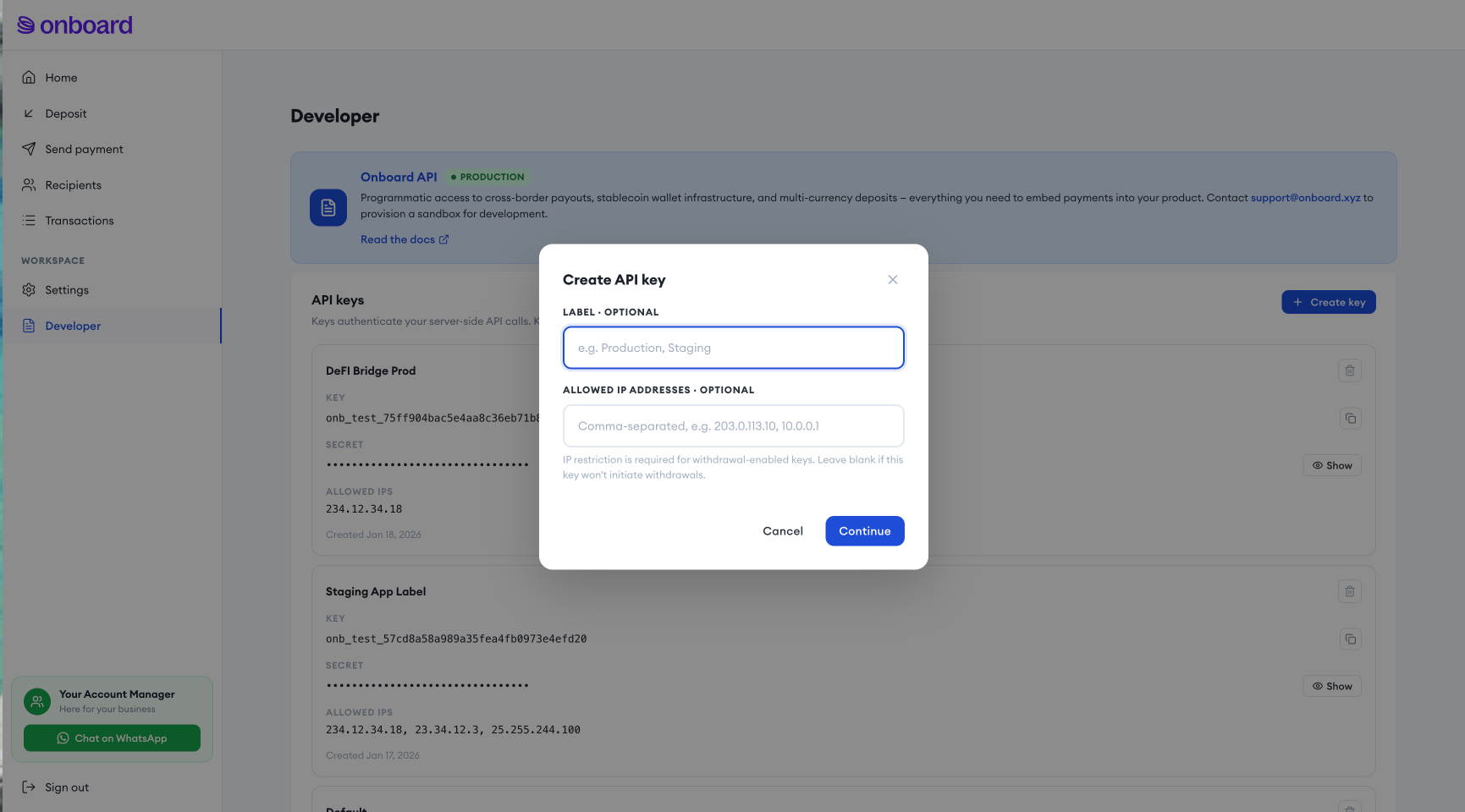
Sign in to the [Business Dashboard](https://business.onboard.xyz) and go to
**Developer** in the sidebar.
Click **Create key**. Your API key and API secret are shown once —
store the secret securely, it cannot be retrieved again.
Add the IP addresses your servers will call the API from. IP restriction
is required for any key that will initiate withdrawals (cash payouts,
crypto transfers); it's optional for read-only or deposit-only keys.
Save your credentials, then make a test request against
[`GET /exchange/api/info`](/api-reference/endpoints/info/get-api-info) to confirm they work.
 Once you have your API key and secret, see [Authentication](/api-reference/authentication)
for how to sign requests. The same **Developer** page is also where you
register your webhook URL — see
[Configuring and Verifying Webhooks](/guides/api-concepts/webhooks-setup).
Once you have your API key and secret, see [Authentication](/api-reference/authentication)
for how to sign requests. The same **Developer** page is also where you
register your webhook URL — see
[Configuring and Verifying Webhooks](/guides/api-concepts/webhooks-setup).